 m4ll0k/secretfinder
SecretFinder - A python script for find sensitive data (apikeys, accesstoken,jwt,..) and search anything on javascript files

SecretFinder is a python script based on LinkFinder, written to discover sensitive data like apikeys, accesstoken, authorizations, jwt,..etc in JavaScript files. It does so by using jsbeautifier for python in combination with a fairly large regular expression. The regular expressions consists of four small regular expressions. These are responsible for finding and search anything on js files.
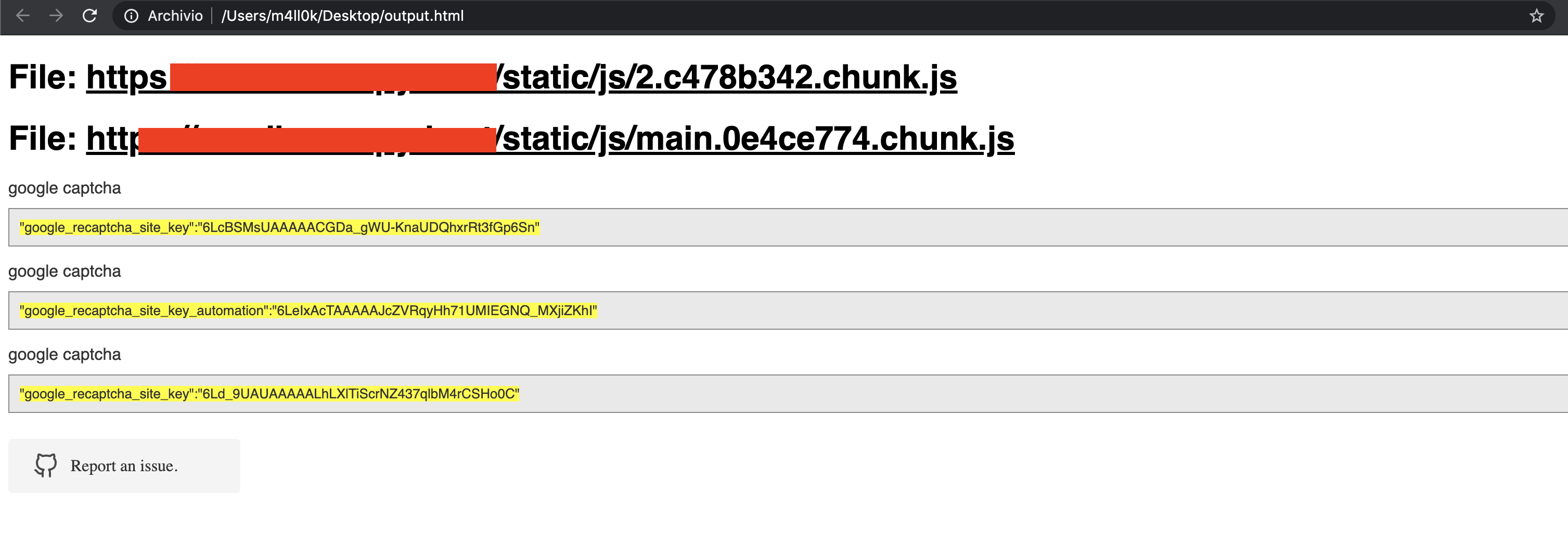
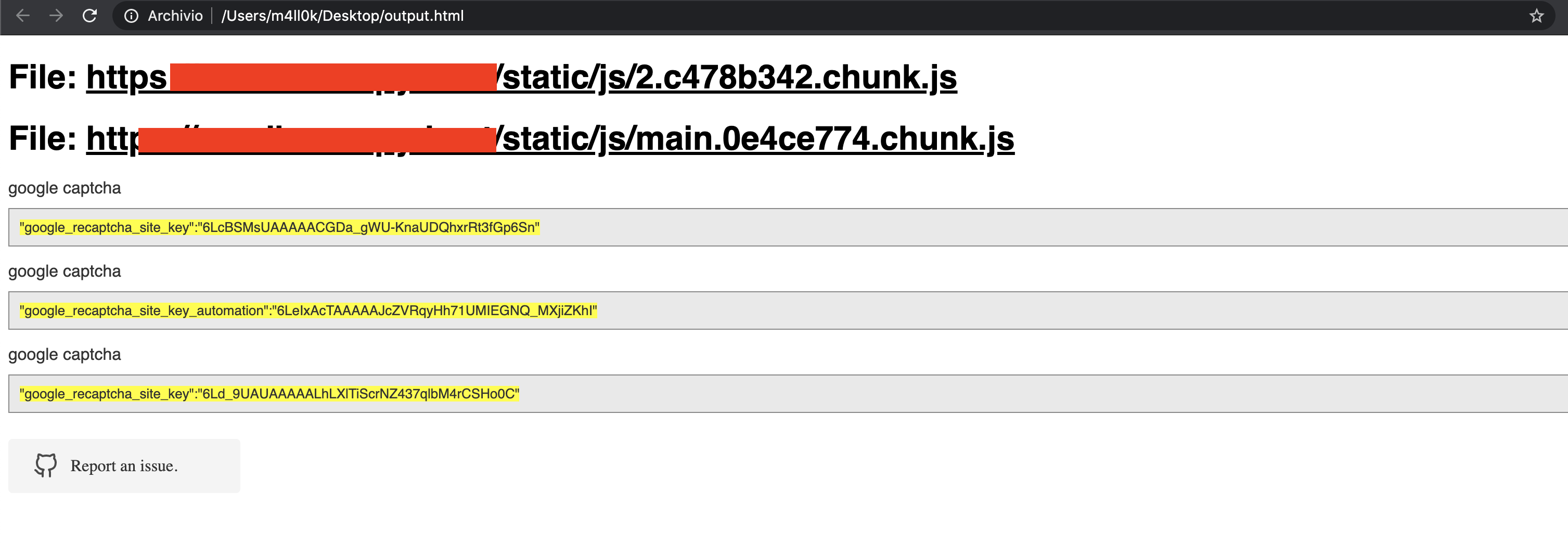
The output is given in HTML or plaintext.
usage: SecretFinder.py [-h] [-e] -i INPUT [-o OUTPUT] [-r REGEX] [-b]
                       [-c COOKIE] [-g IGNORE] [-n ONLY] [-H HEADERS]
                       [-p PROXY]

optional arguments:
  -h, --help            show this help message and exit
  -e, --extract         Extract all javascript links located in a page and
                        process it
  -i INPUT, --input INPUT
                        Input a: URL, file or folder
  -o OUTPUT, --output OUTPUT
                        Where to save the file, including file name. Default:
                        output.html
  -r REGEX, --regex REGEX
                        RegEx for filtering purposes against found endpoint
                        (e.g: ^/api/)
  -b, --burp            Support burp exported file
  -c COOKIE, --cookie COOKIE
                        Add cookies for authenticated JS files
  -g IGNORE, --ignore IGNORE
                        Ignore js url, if it contain the provided string
                        (string;string2..)
  -n ONLY, --only ONLY  Process js url, if it contain the provided string
                        (string;string2..)
  -H HEADERS, --headers HEADERS
                        Set headers ("Name:Value\nName:Value")
  -p PROXY, --proxy PROXY
                        Set proxy (host:port)
SecretFinder supports Python 3.
$ git clone https://github.com/m4ll0k/SecretFinder.git secretfinder
$ cd secretfinder
$ python -m pip install -r requirements.txt or pip install -r requirements.txt
$ python3 SecretFinder.py
python3 SecretFinder.py -i https://example.com/1.js -o results.html
python3 SecretFinder.py -i https://example.com/1.js -o cli
python3 SecretFinder.py -i https://example.com/ -e
-g --ignorepython3 SecretFinder.py -i https://example.com/ -e -g 'jquery;bootstrap;api.google.com'
-n --only:python3 SecretFinder.py -i https://example.com/ -e -n 'd3i4yxtzktqr9n.cloudfront.net;www.myexternaljs.com'
python3 SecretFinder.py -i https://example.com/1.js -o cli -r 'apikey=my.api.key[a-zA-Z]+'
python3 SecretFinder.py -i https://example.com/ -e -o cli -c 'mysessionid=111234' -H 'x-header:value1\nx-header2:value2' -p 127.0.0.1:8080 -r 'apikey=my.api.key[a-zA-Z]+'
Input accept all this entries:
Url: e.g. https://www.google.com/ [-e] is required
Js url: e.g. https://www.google.com/1.js
Folder: e.g. myjsfiles/*
Local file: e.g /js/myjs/file.js
SecretFinder.py and add your regex:_regex = {
'google_api' : r'AIza[0-9A-Za-z-_]{35}',
'google_captcha' : r'6L[0-9A-Za-z-_]{38}|^6[0-9a-zA-Z_-]{39}$',
'google_oauth' : r'ya29\.[0-9A-Za-z\-_]+',
'amazon_aws_access_key_id' : r'A[SK]IA[0-9A-Z]{16}',
'amazon_mws_auth_toke' : r'amzn\\.mws\\.[0-9a-f]{8}-[0-9a-f]{4}-[0-9a-f]{4}-[0-9a-f]{4}-[0-9a-f]{12}',
'amazon_aws_url' : r's3\.amazonaws.com[/]+|[a-zA-Z0-9_-]*\.s3\.amazonaws.com',
'facebook_access_token' : r'EAACEdEose0cBA[0-9A-Za-z]+',
'authorization_basic' : r'basic\s*[a-zA-Z0-9=:_\+\/-]+',
'authorization_bearer' : r'bearer\s*[a-zA-Z0-9_\-\.=:_\+\/]+',
'authorization_api' : r'api[key|\s*]+[a-zA-Z0-9_\-]+',
'mailgun_api_key' : r'key-[0-9a-zA-Z]{32}',
'twilio_api_key' : r'SK[0-9a-fA-F]{32}',
'twilio_account_sid' : r'AC[a-zA-Z0-9_\-]{32}',
'twilio_app_sid' : r'AP[a-zA-Z0-9_\-]{32}',
'paypal_braintree_access_token' : r'access_token\$production\$[0-9a-z]{16}\$[0-9a-f]{32}',
'square_oauth_secret' : r'sq0csp-[ 0-9A-Za-z\-_]{43}|sq0[a-z]{3}-[0-9A-Za-z\-_]{22,43}',
'square_access_token' : r'sqOatp-[0-9A-Za-z\-_]{22}|EAAA[a-zA-Z0-9]{60}',
'stripe_standard_api' : r'sk_live_[0-9a-zA-Z]{24}',
'stripe_restricted_api' : r'rk_live_[0-9a-zA-Z]{24}',
'github_access_token' : r'[a-zA-Z0-9_-]*:[a-zA-Z0-9_\-]+@github\.com*',
'rsa_private_key' : r'-----BEGIN RSA PRIVATE KEY-----',
'ssh_dsa_private_key' : r'-----BEGIN DSA PRIVATE KEY-----',
'ssh_dc_private_key' : r'-----BEGIN EC PRIVATE KEY-----',
'pgp_private_block' : r'-----BEGIN PGP PRIVATE KEY BLOCK-----',
'json_web_token' : r'ey[A-Za-z0-9-_=]+\.[A-Za-z0-9-_=]+\.?[A-Za-z0-9-_.+/=]*$',
'name_for_my_regex' : r'my_regex',
# for example
'example_api_key' : r'^example\w+{10,50}'
}






