 pptx704/domainim
A fast and comprehensive tool for organizational network scanning

Features • Installation • Usage • Contributing • Additional Notes
Domainim is a fast domain reconnaissance tool for organizational network scanning. The tool aims to provide a brief overview of an organization's structure using techniques like OSINT, bruteforcing, DNS resolving etc.
Current features (v1.4.0)-
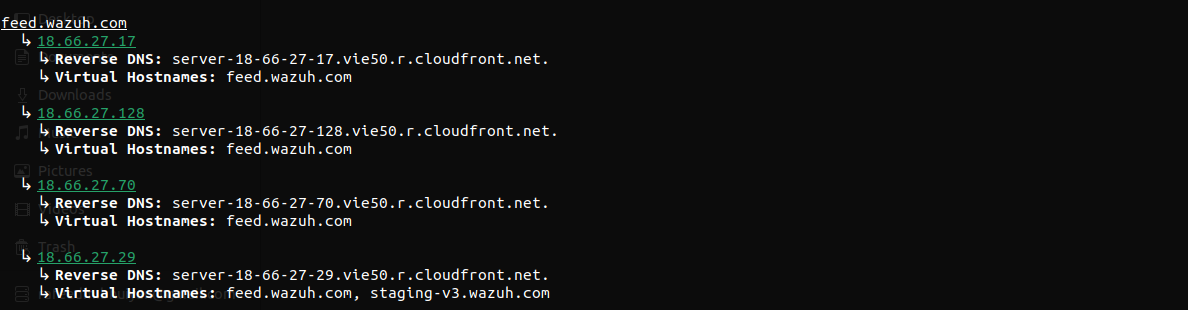
Virtual hostname enumeration
Reverse DNS lookup
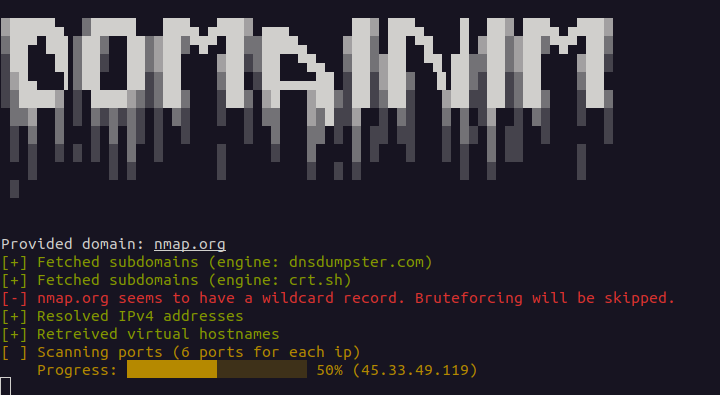
Detects wildcard subdomains (IPv4 and IPv6). Passive results that resolve only to the wildcard IPs are hidden unless they were seen in a TLS certificate. Bruteforcing can be forced with --force-brute, in which case results resolving only to the wildcard IPs are discarded
Basic TCP port scanning
Basic UDP port scanning (opt-in with --udp-ports, no root needed)
Subdomains are accepted as input
Multiple domain enumeration. Several domains can be given as arguments or in a file (--list | -i), and are enumerated one after the other
Directory busting (opt-in with --dir-wordlist). Paths from a wordlist are probed on http and https of every subdomain found, with soft-404 filtering. See Directory busting
Export results to JSON file
The project is inspired by Sublist3r. The port scanner module is heavily based on NimScan.
You can build this repo from source-
git clone [email protected]:pptx704/domainim
nimble build
./domainim <domain>... [--list=<filename>] [--ports=<ports>] [--udp-ports=<ports>] [--dir-wordlist=<filename>]
Or, you can just download the binary from the release page. Keep in mind that the binary is tested on Debian based systems only.
./domainim <domain>... [--list=<filename> | -i:<filename>] [--ports=<ports> | -p:<ports>] [--udp-ports=<ports>] [--wordlist=<filename> | -l:<filename> [--rps=<int> | -r:<int>] [--force-brute | -f]] [--dns=<dns> | -d:<dns>] [--out=<filename> | -o:<filename>] [--dir-wordlist=<filename> [--dir-status=<list>] [--dir-rps=<int>] [--dir-concurrency=<int>]]
<domain>... is one or more domains to be enumerated. Each can be a subdomain as well. See Multiple domains.--list | -i is the path to a file with target domains. See Multiple domains. Write the value as --list=<filename> or -i:<filename>; --list <filename> with a space does not work.--ports | -p is a string specification of the ports to be scanned. It can be one of the following-
all - Scan all ports (1-65535)none - Skip port scanning (default)t<n> - Scan top n most common ports (same as nmap). i.e. t100 scans top 100 ports. Max value is 5000. If n is greater than 5000, it will be set to 5000.80 scans port 8080-100 scans ports 80 to 10080,443,8080 scans ports 80, 443 and 808080,443,8080-8090,t500 scans ports 80, 443, 8080 to 8090 and top 500 ports--udp-ports is a string specification of the UDP ports to be scanned. It uses the same grammar as --ports (all, none, t<n>, single value, range value, comma separated values and combinations). UDP scanning is off unless this option is given with at least one port; --ports stays TCP-only and never enables UDP. Note that t<n> uses the same top ports list as the TCP scan, which is ordered by TCP popularity. i.e.
--udp-ports=53 scans UDP port 53--udp-ports=53,123,161 scans UDP ports 53, 123 and 161--udp-ports=1-1024 scans UDP ports 1 to 1024--udp-ports=t100 scans the top 100 ports as UDP--ports=80,443 --udp-ports=53,t20 scans TCP ports 80 and 443, and UDP port 53 and the top 20 ports--dns | -d is the address of the dns server. This should be a valid IPv4 address and can optionally contain the port number-
a.b.c.d - Use DNS server at a.b.c.d on port 53a.b.c.d#n - Use DNS server at a.b.c.d on port n--wordlist | -l - Path to the wordlist file. This is used for bruteforcing subdomains. If the file is invalid, bruteforcing will be skipped. Empty lines and lines starting with # are ignored. You can get a wordlist from SecLists. A wordlist is also provided in the release page.--force-brute | -f - Bruteforce even if a wildcard record is found. Subdomains that resolve only to the wildcard IPs are discarded.--rps | -r - Number of requests to be made per second during bruteforce. The default value is 1024 req/s. It is to be noted that, DNS queries are made in batches and next batch is made only after the previous one is completed. Since queries can be rate limited, increasing the value does not always guarantee faster results.--dir-wordlist, --dir-status, --dir-rps, --dir-concurrency - Directory busting. Off unless --dir-wordlist is given. See Directory busting.--out | -o - Path to the output file. The output will be saved in JSON format. The filename must end with .json.Examples
./domainim nmap.org --ports=all./domainim nmap.org scanme.nmap.org --out=results.json./domainim nmap.org --list=targets.txt./domainim google.com --ports=none --dns=8.8.8.8#53./domainim pptx704.com --ports=t100 --wordlist=wordlist.txt --rps=1500./domainim pptx704.com --ports=t100 --wordlist=wordlist.txt --out=results.json./domainim nmap.org --wordlist=wordlist.txt --force-brute./domainim mysite.com --ports=t50,5432,7000-9000 --dns=1.1.1.1./domainim domainim.com --ports=80 --udp-ports=53,123./domainim nmap.org --udp-ports=53,123,161 --out=results.json./domainim nmap.org --dir-wordlist=paths.txt --dir-status=200,301-303 --dir-rps=20 --dir-concurrency=10The help menu can be accessed using ./domainim --help or ./domainim -h.
Usage:
    domainim <domain>... [--list=<filename> | -i:<filename>] [--ports=<ports> | -p:<ports>] [--udp-ports=<ports>] [--wordlist=<filename> | -l:<filename> [--rps=<int> | -r:<int>] [--force-brute | -f]] [--dns=<dns> | -d:<dns>] [--out=<filename> | -o:<filename>] [--dir-wordlist=<filename> [--dir-status=<list>] [--dir-rps=<int>] [--dir-concurrency=<int>]]
    domainim (-h | --help)
