 pentesteracademy/reconpal
ReconPal: Leveraging NLP for Infosec


Recon is one of the most important phases that seem easy but takes a lot of effort and skill to do right. One needs to know about the right tools, correct queries/syntax, run those queries, correlate the information, and sanitize the output. All of this might be easy for a seasoned infosec/recon professional to do, but for rest, it is still near to magic. How cool it will be to ask a simple question like "Find me an open Memcached server in Singapore with UDP support?" or "How many IP cameras in Singapore are using default credentials?" in a chat and get the answer?
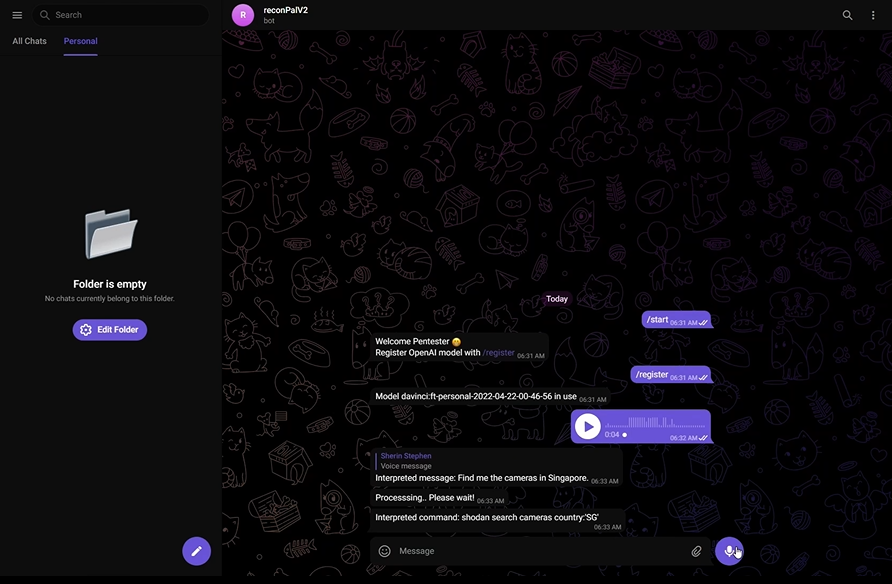
The integration of GPT-3, deep learning-based language models to produce human-like text, with well-known recon tools like Shodan, is the foundation of ReconPal. ReconPal also supports using voice commands to execute popular exploits and perform reconnaissance.
To get ReconPal up and running, follow these simple steps.
Telegram Bot Token Use BotFather and create a new telegram bot. Refer to the documentation at https://core.telegram.org/bots
Shodan API:
Create a shodan Account and create a new API Key from https://account.shodan.io/
Google Speech-to-Text API:
Enable Speech-to-Text in GCP and get the credentials. Refer to these steps from the documentation https://cloud.google.com/speech-to-text/docs/before-you-begin
OpenAI API Key:
Create a free openAI account to try out the API. https://beta.openai.com/account/api-keys
Docker
sudo apt-get updates
sudo apt-get install docker.io
sudo curl -L "https://github.com/docker/compose/releases/download/1.26.0/docker-compose-$(uname -s)-$(uname -m)" -o /usr/local/bin/docker-compose
chmod +x /usr/local/bin/docker-compose
Clone the repo
git clone https://github.com/pentesteracademy/reconpal.git
Enter your OPENAI, SHODAN API keys, and TELEGRAM bot token in docker-compose.yml
OPENAI_API_KEY=<Your key>
SHODAN_API_KEY=<Your key>
TELEGRAM_BOT_TOKEN=<Your token>
Start reconpal
docker-compose up
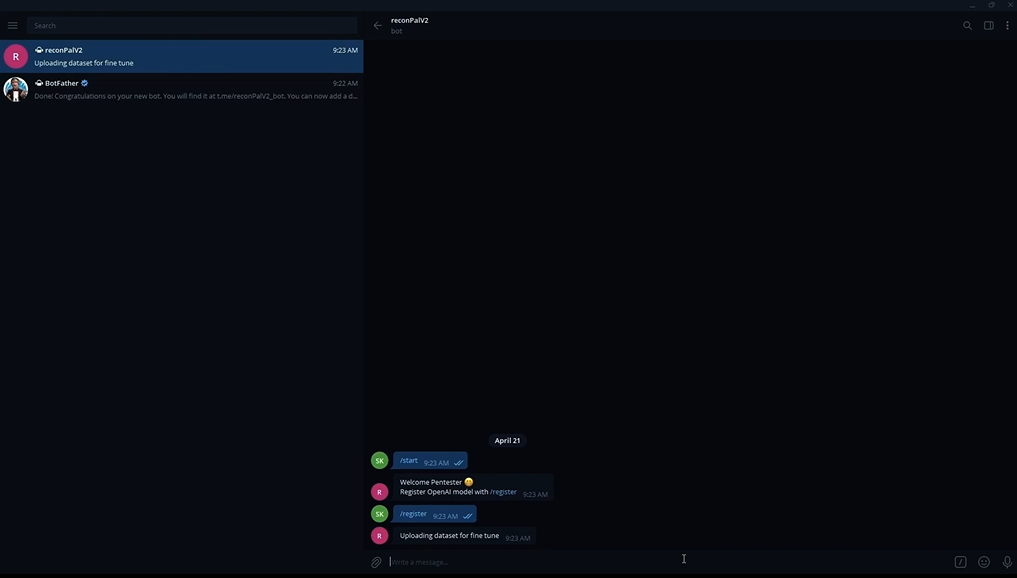
Open the telegram app and select the created bot to use ReconPal.
/start
/register
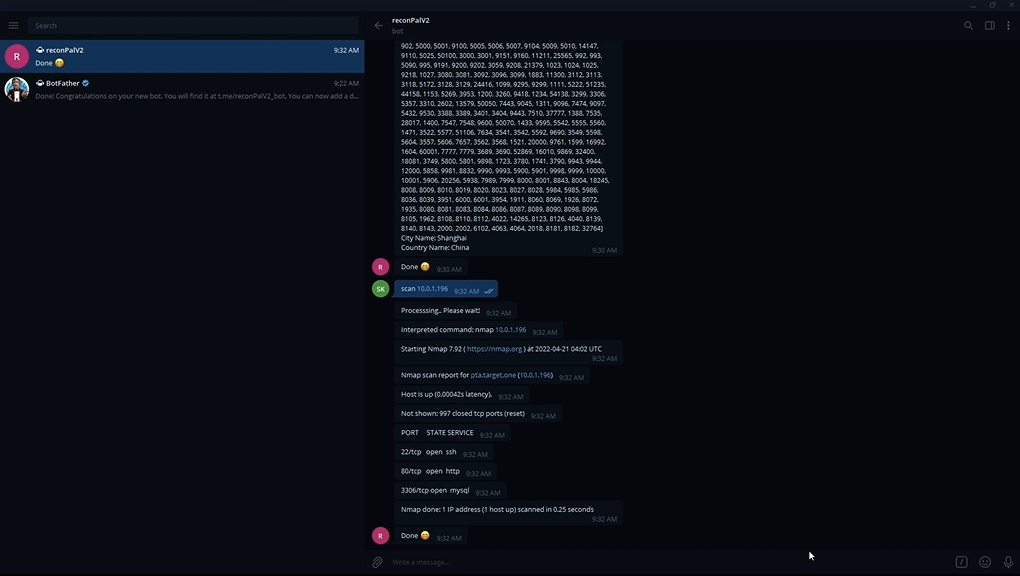
scan 10.0.0.8
Blackhat Asia Arsenal 2022 https://www.blackhat.com/asia-22/arsenal/schedule/#reconpal-leveraging-nlp-for-infosec-26232
Demonstration Video https://www.youtube.com/watch?v=gBQFlirFqpk
Jeswin Mathai, Senior Security Researcher, INE [email protected]
Nishant Sharma, Security Research Manager, INE [email protected]
Shantanu Kale, Cloud Developer, INE [email protected]
Sherin Stephen, Cloud Developer, INE [email protected]
Sarthak Saini (Ex-Pentester Academy)
For more details, refer to the "ReconPal.pdf" PDF file. This file contains the slide deck used for presentations.
Starting reconpal and registering model
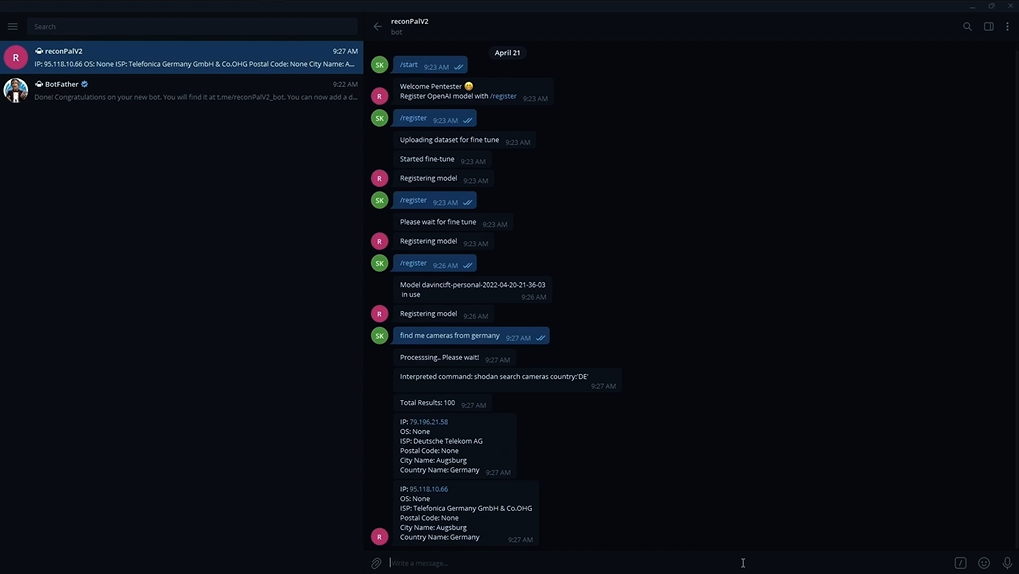
Finder module in action
Scanner module in action
Attacker module in action
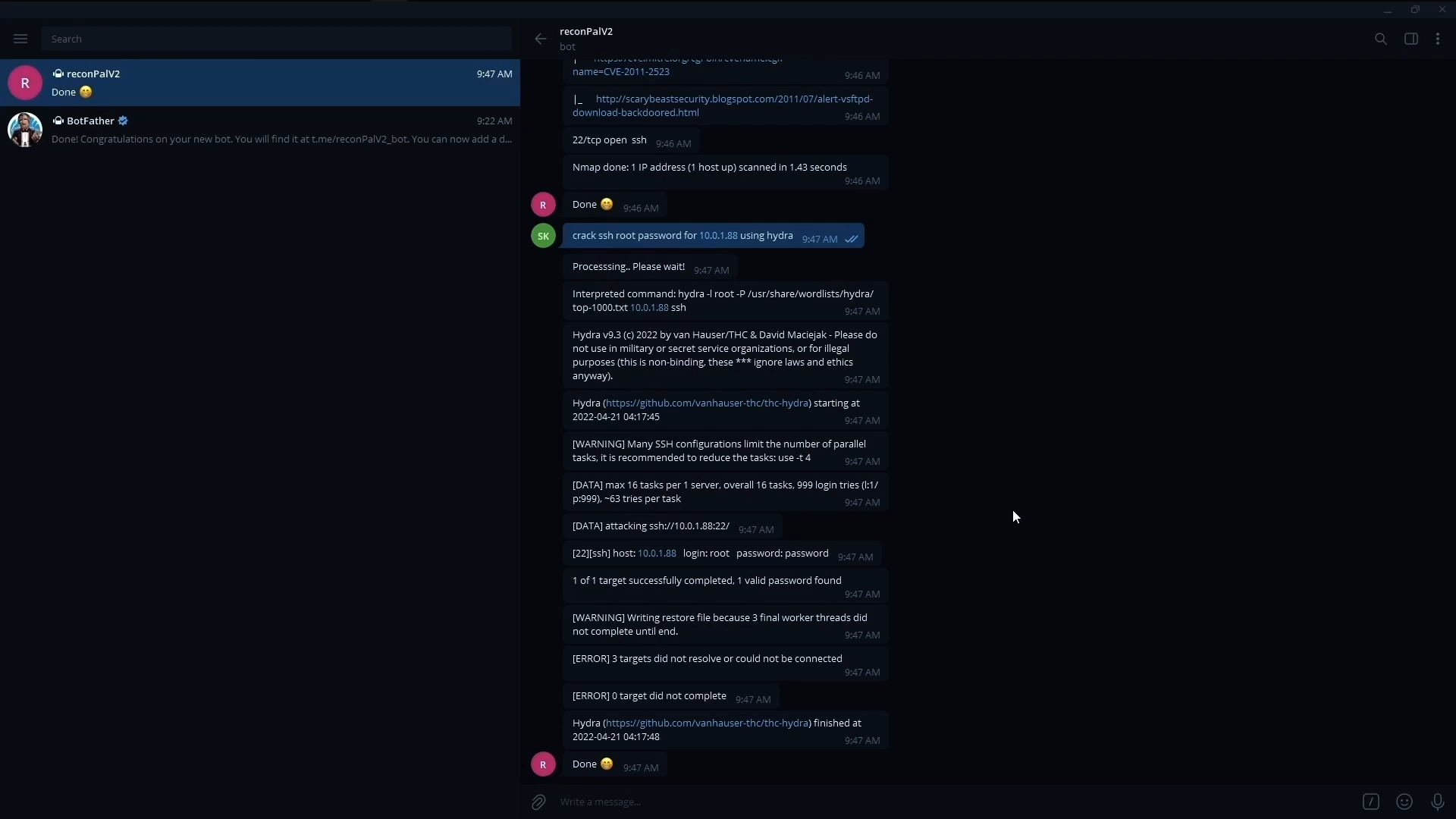
Voice Support
This program is free software: you can redistribute it and/or modify it under the terms of the GNU General Public License v2 as published by the Free Software Foundation.
This program is distributed in the hope that it will be useful, but WITHOUT ANY WARRANTY; without even the implied warranty of MERCHANTABILITY or FITNESS FOR A PARTICULAR PURPOSE. See the GNU General Public License for more details.
You should have received a copy of the GNU General Public License along with this program. If not, see http://www.gnu.org/licenses/.
