 p0dalirius/ipsourcebypass
This Python script can be used to bypass IP source restrictions using HTTP headers.


This Python script can be used to bypass IP source restrictions using HTTP headers.



--json outputfile.json.$ ./ipsourcebypass.py -h
[~] IP source bypass using HTTP headers, v1.2
usage: ipsourcebypass.py [-h] [-v] -i IP [-t THREADS] [-x PROXY] [-k] [-L] [-j JSONFILE] [-C] [-H HEADERS] [-S] url
This Python script can be used to test for IP source bypass using HTTP headers
positional arguments:
url e.g. https://example.com:port/path
optional arguments:
-h, --help show this help message and exit
-v, --verbose arg1 help message
-i IP, --ip IP IP to spoof.
-t THREADS, --threads THREADS
Number of threads (default: 5)
-x PROXY, --proxy PROXY
Specify a proxy to use for requests (e.g., http://localhost:8080)
-k, --insecure Allow insecure server connections when using SSL (default: False)
-L, --location Follow redirects (default: False)
-j JSONFILE, --jsonfile JSONFILE
Save results to specified JSON file.
-C, --curl Generate curl commands for each request.
-H HEADERS, --header HEADERS
arg1 help message
-S, --save Save all HTML responses.
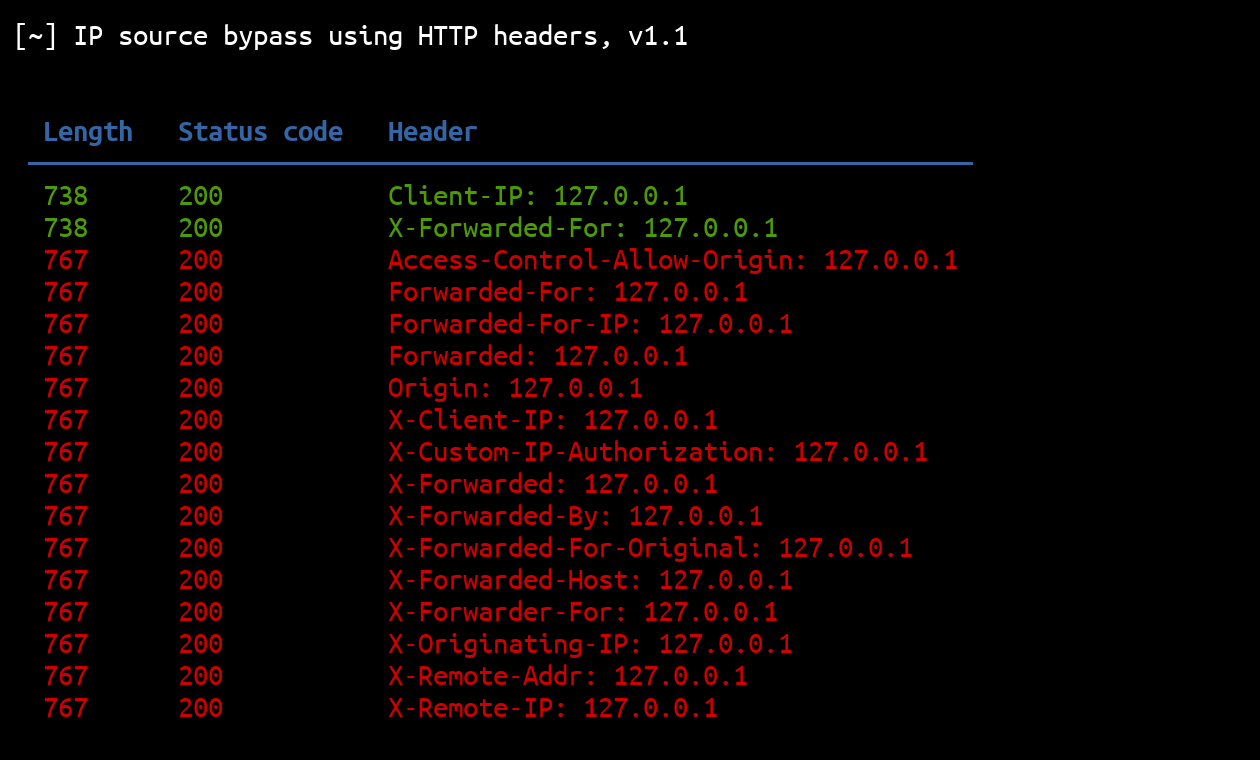
Results are sorted by uniqueness of their response's length. This means that the results with unique response length will be on top, and results with response's length occurring multiple times at the bottom:
| Two different result lengths | Four different result lengths |
|---|---|
 | |
Pull requests are welcome. Feel free to open an issue if you want to add other features.
