Skip to content
KitploitKITPLOIT
ToolsBlog
Submit
ToolsBlog
Submit

Hacking, PenTest, and Cybersecurity Tools for Your Security Arsenal!

Kitploit is a directory of hacking, cybersecurity, and pentesting tools. Discover the latest project updates to find vulnerabilities, analyze systems, automate testing, and strengthen your security.

··Feeds·Contact·Privacy·© 2026 Kitploit

Tool Directory

Categories

View all categories
Loading categories
juumla — 🦁 Python project to identify and scan for vulnerabilities related to the Joomla CMS project. It scans for common misconfigurations and public vulnerabilities. | Kitploit
Tools/GitHubGitHub/0xdsm/juumla
Vulnerability ScannersInformation GatheringWeb SecurityMisconfiguration
GitHub0xdsm/juumla

juumla

🦁 Python project to identify and scan for vulnerabilities related to the Joomla CMS project. It scans for common misconfigurations and public vulnerabilities.

View Repository
175264 months agoReviewed by Kitploit

Most Popular

View all →

Discover the most used tools by our community.

Explore all tools

Browse our collection of tools

View all tools →
Share
Website

🦁 Juumla

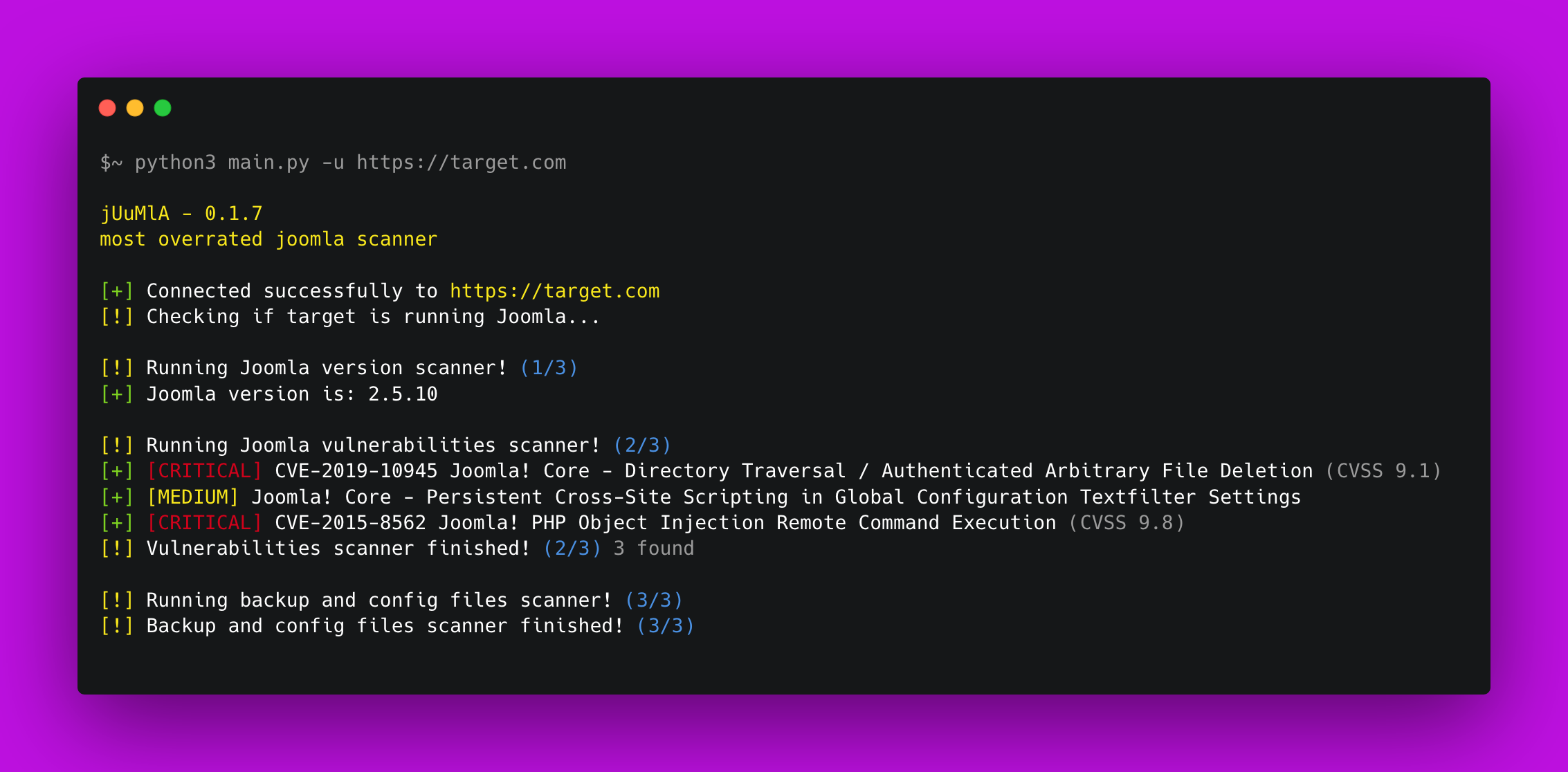
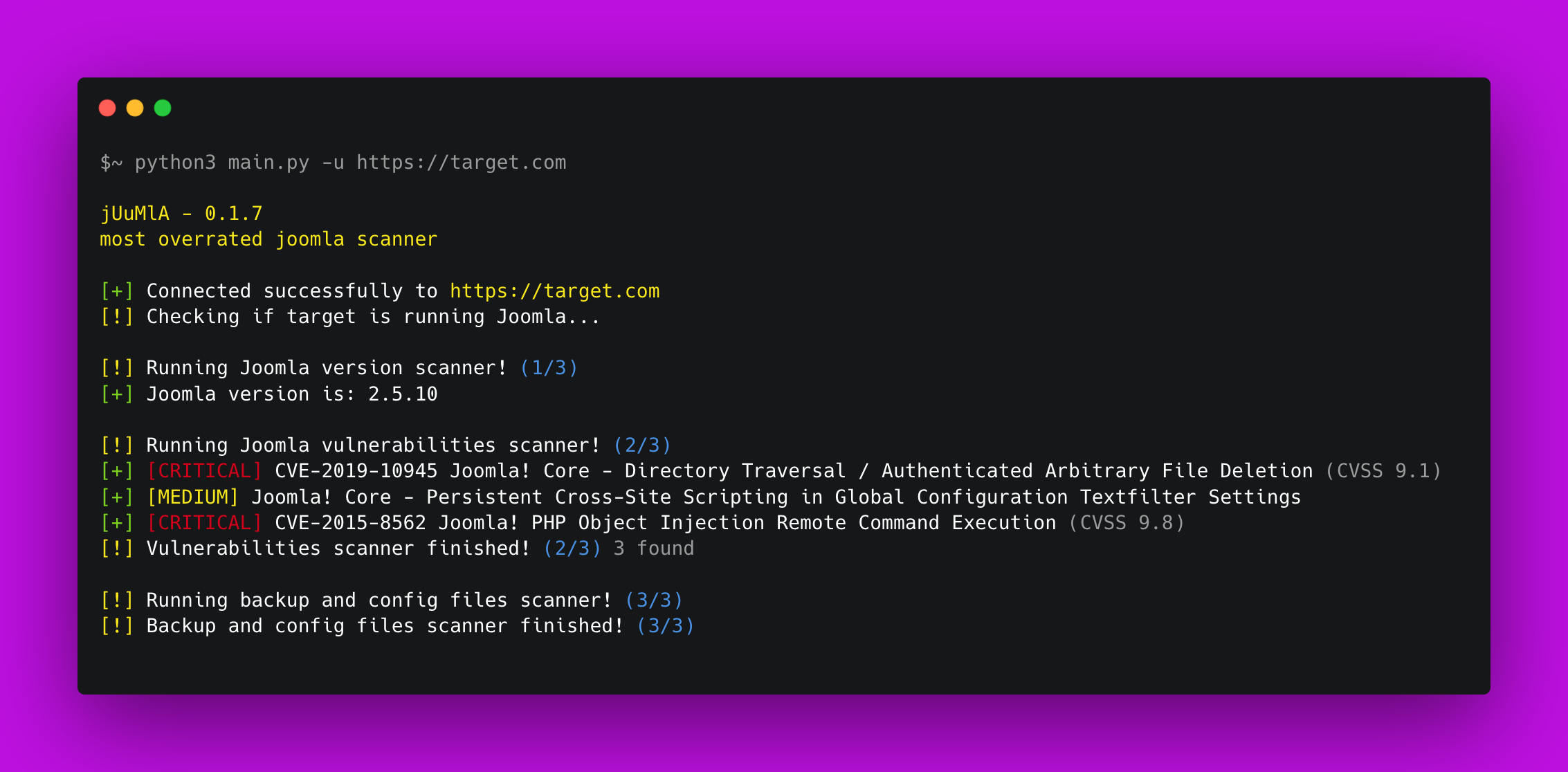
image


🦁 Juumla Juumla is a python tool created to identify Joomla version, scan for vulnerabilities and sensitive files.

Starlog


⚡ Installing / Getting started

A quick guide on how to install and use Juumla.

root@kitploit:~
1. Clone the repository - git clone https://github.com/oppsec/juumla.git
2. Install the libraries - pip3 install -r requirements.txt
3. Run Juumla - python3 main.py -u https://example.com

🐳 Docker

If you want to run Juumla in a Docker container, follow these commands:

root@kitploit:~
1. Clone the repository - git clone https://github.com/oppsec/juumla.git
2. Build the image - sudo docker build -t juumla:latest .
3. Run container - sudo docker run juumla:latest

If you want to create an Joomla environment in a Docker container, follow these commands:

root@kitploit:~
1. Clone the repository - git clone https://github.com/oppsec/juumla.git (or download the docker-compose.yml file)
2. Install docker-compose (e.g: sudo apt install docker-compose)
3. sudo docker-compose up
4. Access http://localhost:8080/

The default root password is: example
The default database name is: joomladb
The default DBMS is: MySQL 5.6


⚙️ Pre-requisites

  • Python 3 installed on your machine.
  • Install the libraries with pip3 install -r requirements.txt


✨ Features

  • Fast scan
  • Low RAM and CPU usage
  • Detect Joomla version
  • Find config and backup files
  • Scan for vulnerabilities based on the Joomla version
  • Open-Source


📚 To-Do

  • Update vulnerabilities database
  • Improve Joomla detection methods
  • Improve code optimization


🔨 Contributing

A quick guide on how to contribute to the project.

root@kitploit:~
1. Create a fork from Juumla repository
2. Download the project with git clone https://github.com/your/juumla.git
3. Make your changes
4. Commit and makes a git push
5. Open a pull request



⚠️ Warning

  • The developer is not responsible for any malicious use of this tool.
Download Tool