 nuid/nebulousad
NebulousAD automated credential auditing tool.

As of April 14th, NuID will no longer be hosting the NebulousAD API that this code communicates with. As a small team of developers, we've found it isn't feasible to actively support, monitor, and develop both the NebulousAD portal as well as our Authentication Developer Portal effectively.
The code for checking Active Directory passwords against a set of publicly breached authentication credentials will continue to live on in this repository, and we will be incorporating all the excellent feedback we've received through our experience with NebAD to provide a seamless password blacklisting service alongside our Authentication API in the coming months. So stay tuned!
We appreciate your involvement and feedback in the past, and look forward to hearing from you in the future. Don't hesitate to reach out with questions regarding NebAD, NuID, or anything digital identity related.
Bye for now! -the NuID team
NebulousAD is a tool for auditing Active Directory user passwords against a database of compromised passwords found in data breaches. The tool was made to help Windows system administrators find and, optionally, remediate the use of compromised passwords. This approach is recommended by NIST 800-63B, and can help protect against credential spraying and stuffing attacks.
The Nebulous database current holds over 2.5 billion unique hashes of breached passwords.
NebulousAD uses the k-anonymity model by default to preserve the privacy and security of passwords checked against the API. Only the first five characters of a SHA-2 hash are sent to the API. You can read more about k-anon here.
The tool was originally released at BSides Las Vegas 2019. A video of the BSides presentation is here.
Upcoming Features:
Simply download the precompiled release (requires no python interpreter), or build from source:
This tool requires Python2.7 (for now).
Run git clone https://github.com/NuID/nebulousAD.git
Next, install with python setup.py install
Then initialize your key. You can get your key by visiting: https://nebulous.nuid.io/#/register Once registered, click the button to generate your API key and copy it.
Now you can initialize them like so: nebulousAD -init-key <api_key>
You can now run the tool. If it can't find your API key, you may need to restart your terminal session. The API key is stored in an environment variable. Logging out and back in also works.
You can download the nebulousAD.exe file, for using without an interpreter here. Alternatively, you can compile the tool from source yourself:
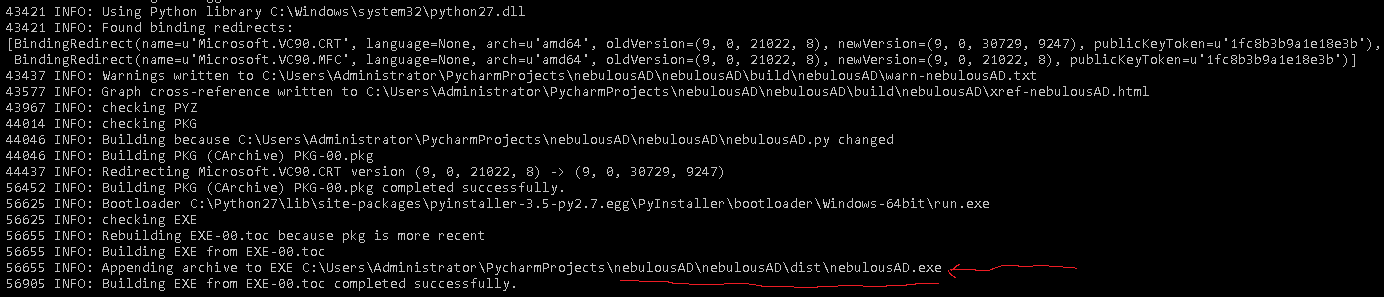
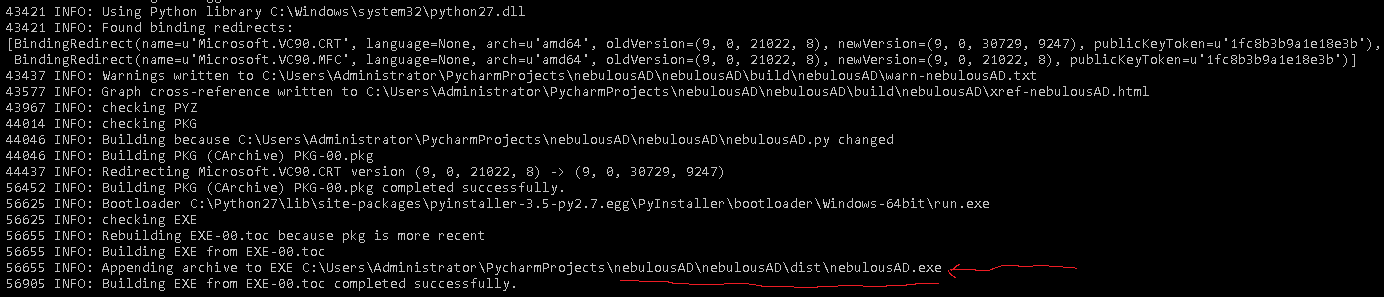
pip install pyinstallergit clone https://github.com/NuID/nebulousAD.gitcd .\nebulousAD\nebulousADpyinstaller --onefile nebulousAD.pyPyinstaller will output the location of the compiled binary:
An example command to dump all hashes and check them against the API:
nebulousAD.exe -v -snap --check
NuID Credential Auditing tool.

optional arguments:
  -h, --help            show this help message and exit
  -ntds NTDS            NTDS.DIT file to parse
  -system SYSTEM        SYSTEM registry hive to parse
  -csv CSV              Output results to CSV file at this PATH.
  -json JSON            Output results to JSON file at this PATH
  -init-key INIT_KEY    Install your Nu_I.D. API key to the current users
                        PATH.
  -c, --check           Check against Nu_I.D. API for compromised
                        credentials.
  -dk, --disable-k-anon
                        Disable k-anon hash searches against the API (speeds
                        up the audit).
  -snap                 Use ntdsutil.exe to snapshot the system registry
                        hive and ntds.dit file to <systemDrive>:\Program
                        Files\NuID\
  -shred                When performing delete operations on files, use a 7
                        pass overwrite with sdelete.exe. Download here:
                        https://docs.microsoft.com/en-
                        us/sysinternals/downloads/sdelete
  -no-backup            Do not backup the existing snapshots, just overwrite
                        them instead.
  -clean-old-snaps CLEAN_OLD_SNAPS
                        Clean backups older than N days.

display options:
  -user-status          Display whether or not the user is disabled
  -pwd-last-set         Shows pwdLastSet attribute for each account found
                        within the NTDS.DIT database.
  -history              Dump NTLM hash history of the users.
  -v                    Enable verbose mode.
Disables the k-anonymity hashcheck function. This is useful to speed up the search time, but will result in the full SHA-256(NTLM) hash being sent over to the API. We do not log or store hashes sent to the API.
The -snap param will automatically snapshot Active Directory (using ntdsutil.exe), and dump the ntds.dit file as well as the SYSTEM registry hive, if you have the privileges.
You can dump this manually using any variety of methods or the ntdsutil.exe tool.
If dumping manually you can point to the files with -system path\to\SYSTEM and -ntds path\to\ntds.dit. This is useful if you want to audit old snapshots.
This requires an API key from https://nebulous.nuid.io/#/register. Once you have that and installed with -init-key, you can check the hashes against the NuID API.
If you have specified -history it will also check each accounts password history to see if there was a password the user previously used that was compromised.
Adds output indicating whether or not the account is Enabled or Disabled in Active Directory.
Adds output indicating the date the account's password was last set. This can be useful in detecting violations of security policy of accounts that do not get reset automatically as defined in GPO, such as Service Accounts.
Also audit or dump the accounts stored password history.
Use a DoD 7 pass overwrite when wiping snapshots. This requires having sdelete.exe in your path. You can get that here: https://docs.microsoft.com/en-us/sysinternals/downloads/sdelete
Just download that and place it in your %SYSTEMDRIVE\Windows\System32\ directory, or setup the environment variable.
Useful on cleaning backups when setting this application to run with the Task Scheduler. The SYSTEM hive and .dit file can be rather large in bigger domains and take a good amount of disk space.
If you use Task Scheduler to make a daily audit, you can use this option like so: -clean-old-snaps 7 to only store 1 weeks worth of snapshots.
If we detect an old snapshot, we back it up to %SYSTEMDRIVE%\Program Files\NuID\snapshot-backups by default.
This is due to ntdsutil.exe requiring an empty directory.
If you want to disable this backup and just wipe the current snapshot, use this argument.
