 nextronsystems/aptsimulator
A toolset to make a system look as if it was the victim of an APT attack


Important: Don't just ZIP download or clone the repo if you don't plan to develop some test. Use the package in the release which contains a packaged version with encrypted archives that don't contain cleartext samples and tools.
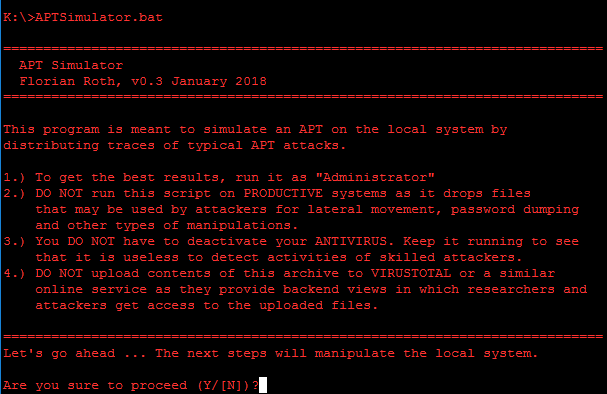
APT Simulator is a Windows Batch script that uses a set of tools and output files to make a system look as if it was compromised. In contrast to other adversary simulation tools, APT Simulator is designed to make the application as simple as possible. You don't need to run a web server, database or any agents on set of virtual machines. Just download the prepared archive, extract and run the contained Batch file as Administrator. Running APT Simulator takes less than a minute of your time.
Customers tested our scanners in a POC and sent us a complaint that our scanners didn't report on programs that they had installed on their test systems. They had installed an Nmap, dropped a PsExec.exe in the Downloads folder and placed on EICAR test virus on the user's Desktop. That was the moment when I decided to build a tool that simulates a real threat in a more appropriate way.
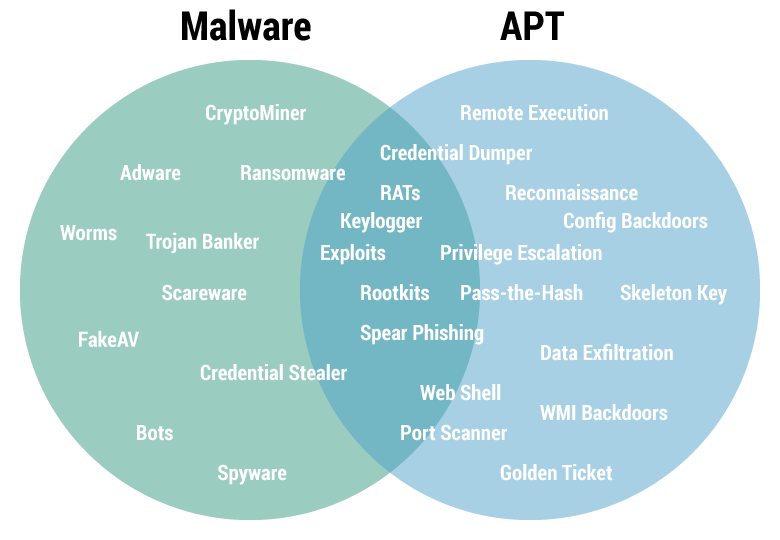
The focus of this tool is to simulate adversary activity, not malware. See the Advanced Solutions section for advanced tools to simulate adversary and malware activity.
The batch script extracts the tools and shells from an encrypted 7z archive at runtime. Do not download the master repo using the "download as ZIP" button. Instead use the official release from the release section.
APT Simulator contains a module named "AVExcluder" that tries to register the used %APTDIR% as AV exclusion in typical AV solutions. As I do not have access to all of the AV software products in the market, please report errors or add new exclusions as pull requests.
Since version 0.4 it is pretty easy to extend the test sets by adding a single .bat file to one of the test-set category folders.
E.g. If you want to write a simple test case for "privilege escalation", that uses a tool named "privesc.exe", clone the repo and do the following:
toolset folderprivesc-1.bat and add it to the ./test-sets/privilege-escalation folderbuild_pack.batIf your script includes a tool, web shell, auxiliary or output file, place them in the folders ./toolset or ./workfiles. Running the build script build_pack.bat will include them in the encrypted archives enc-toolset.7z and enc-files.7z.
"%ZIP%" e -p%PASS% %TOOLARCH% -aoa -o%APTDIR% toolset\tool.exe > NUL
"%ZIP%" e -p%PASS% %FILEARCH% -aoa -o%APTDIR% workfile\tool-output.txt > NUL
The following table shows the different test cases and the expected detection results.
| Test Case | AV | NIDS | EDR | SM | CA |
|---|---|---|---|---|---|
| Collect Local Files | X | ||||
| C2 Connects | (X) | X | X | X | |
| DNS Cache 1 (Cache Injection) | (X) | X | X | X | |
| Malicious User Agents (Malware, RATs) | X | X | X | ||
| Ncat Back Connect (Drop & Exec) | X | X | X | X | |
| WMI Backdoor C2 | X | X | X | ||
| LSASS Dump (with Procdump) | X | X | X | ||
| Mimikatz 1 (Drop & Exec) | X | X | X | X | |
| WCE 1 (Eventlog entries) | X | X | X | ||
| Active Guest Account Admin | X | X | X | ||
| Fake System File (Drop & Exec) | X | X | X | ||
| Hosts File (AV/Win Update blocks) | (X) | X | X | ||
| Obfuscated JS Dropper | (X) | X | X | X | X |
| Obfuscation (RAR with JPG ext) | (X) | ||||
| Nbtscan Discovery (Scan & Output) | X | X | (X) | X | |
| Recon Activity (Typical Commands) | X | X | X | ||
| PsExec (Drop & Exec) | X | X | X | ||
| Remote Execution Tool (Drop) | (X) | X | |||
| At Job | X | X | X | ||
| RUN Key Entry Creation | X | X | X | ||
| Scheduled Task Creation | X | X | X | ||
| StickyKey Backdoor | X | X | |||
| UserInitMprLogonScript Persistence | (X) | X | X | ||
| Web Shells | X | (X) | X | ||
| WMI Backdoor | X | X |
You should now be able to find events in your security monitoring solution (SIEM, EDR etc.) for the following keywords:
MSSE-1337-servermsagent_fedac123postex_ssh_fedac123334485 (used in Get System activity)Note: No Named Pipe Monitoring? You can use Sysmon + this config and this Sigma rule to get you started.
b6a1458f396 (multiple events: new service registration and process creation)Note: No events? you can use this Sigma rule to get you started.
http://10.0.2.15/pixel.gifhttps://operaa.net:443/jquery-3.2.2.min.jshttps://23.108.57.148:443/jquery-3.2.2.full.js