Skip to content
KitploitKITPLOIT
ToolsExploitsBlog
Log in
Submit
ToolsExploitsBlog
Submit

Hacking, PenTest, and Cybersecurity Tools for Your Security Arsenal!

Kitploit is a directory of hacking, cybersecurity, and pentesting tools. Discover the latest project updates to find vulnerabilities, analyze systems, automate testing, and strengthen your security.

FeedsContactPrivacy© 2026 Kitploit

Tool Directory

Categories

View all categories
Loading categories
NMapGUI — Advanced Graphical User Interface for NMap | Kitploit
Tools/GitHubGitHub/daniel-cues/nmapgui
Network MappingPort ScanningVulnerability AnalysisInformation GatheringUtilities & Frameworks
GitHubdaniel-cues/nmapgui

NMapGUI

Advanced Graphical User Interface for NMap

View Repository
503104436 years agoReviewed by Kitploit
Share

nmapgui

GitHub (pre-)release Build Status Codecov Codacy Badge Issues Discord

NMapGUI is an advanced graphical user interface for NMap network analysis tool. It allows to extend and ease the typical usage of NMap by providing a visual and fast interface with the application

THIS PROJECT IS CURRENTLY UNMAINTAINED

- For the moment Java8 is required. Later versions not supported (Issue #25) -

If you have any questions about NMapGUI usage or want to get in contact with me, please visit:

  • Twitter
  • LinkedIn

Features

  • Cross-platform (You can use it on Linux, Windows, MacOs, etc.)
  • Multiple command execution at the same time.
  • Standard NMap output.
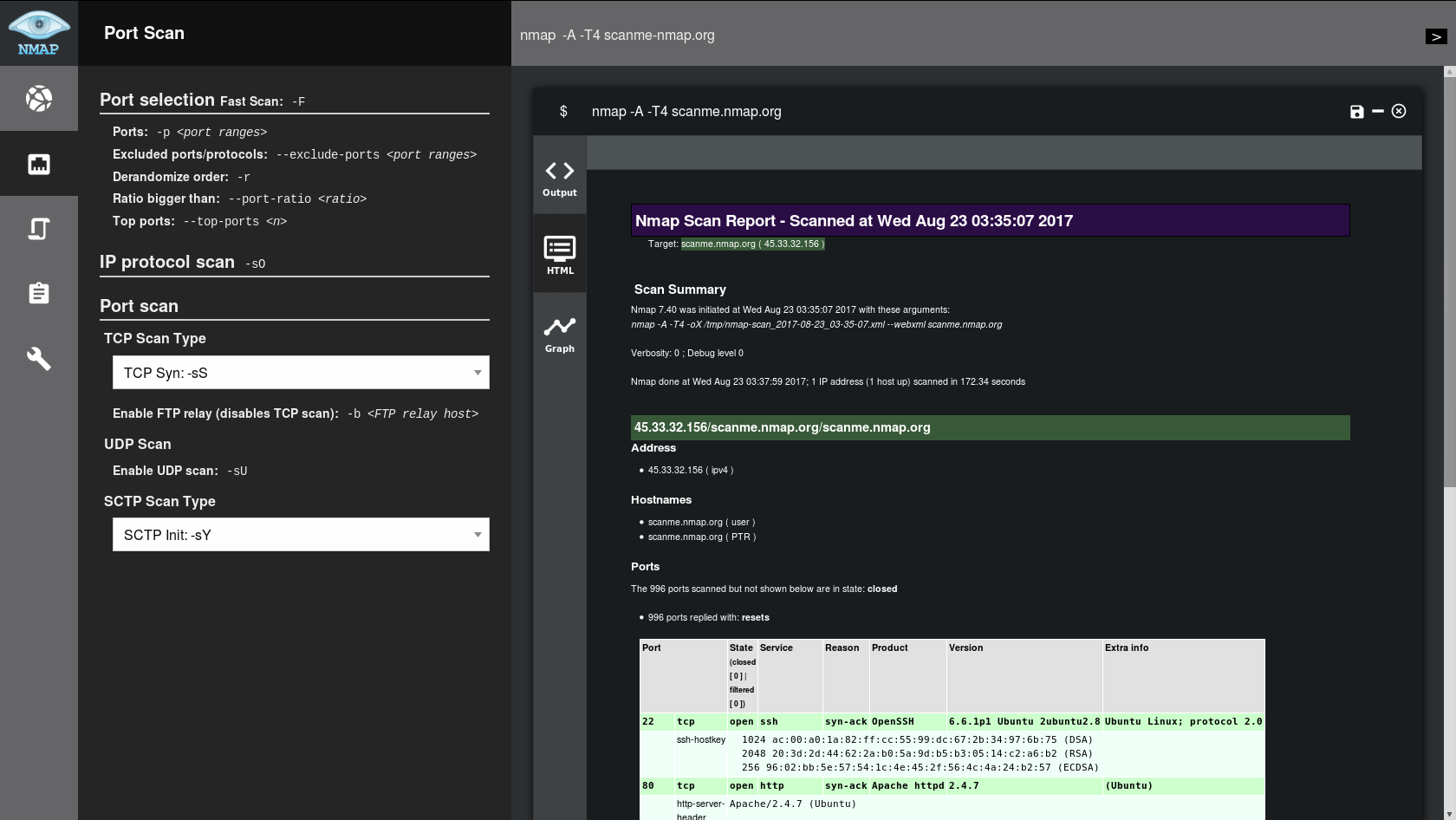
  • HTML report NMap output.
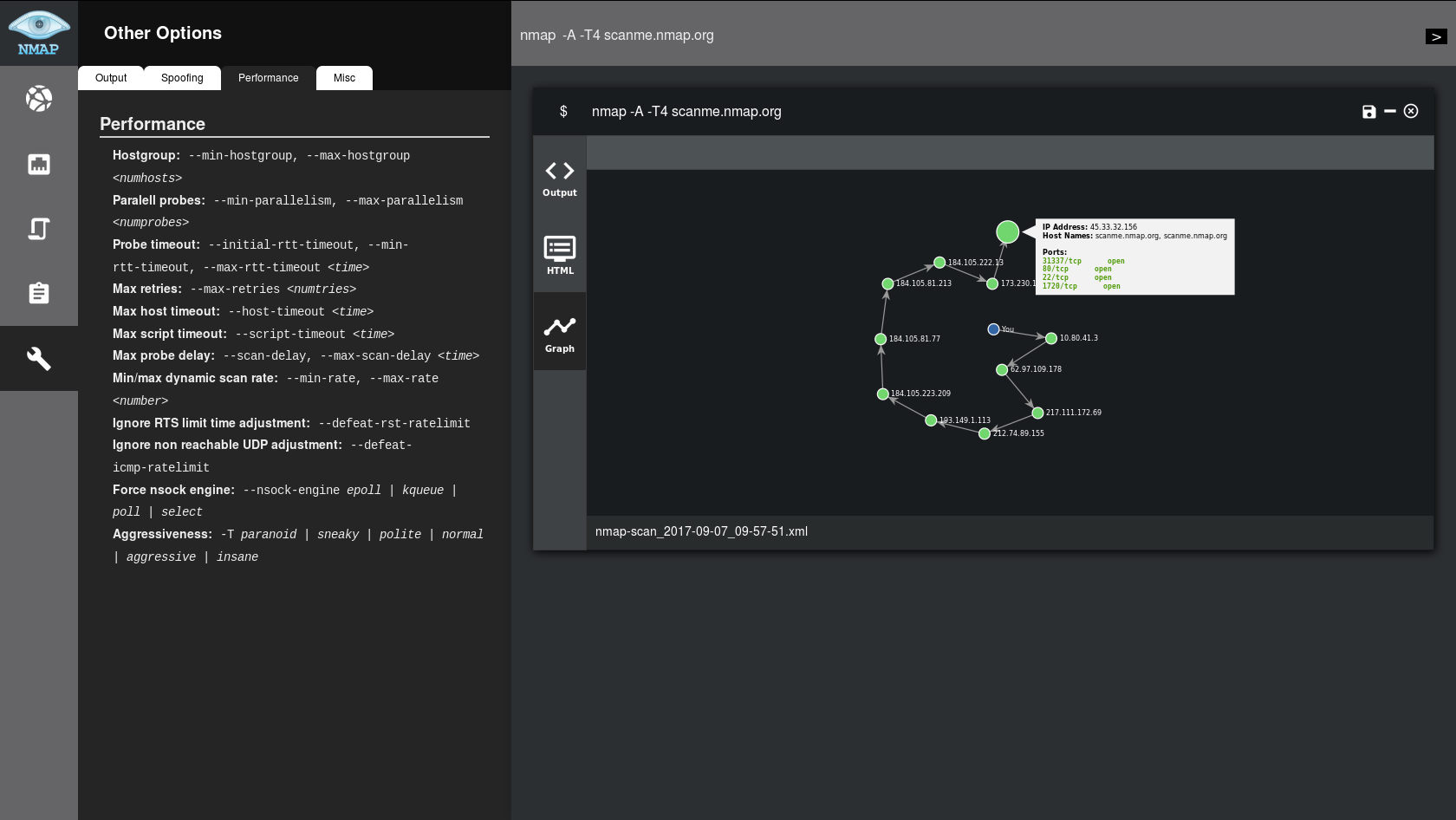
  • Interactive traceroute graph output
  • Saving output as XML.
  • Output minimizing, maximizing and deleting.
  • Menu to find most of nmap options and your system's scripts.
  • Start and stop the webapp at any moment.

Zenmap vs NMapGUI

ZenmapNMapGUI
Multiple parallel commands🚫✅
Option menu🚫✅
ᴺᴱᵂ System's script list🚫✅
Automatic HTML report🚫✅
Pretty interface💩✅
Graph output✅✨✅✨
Unnecessary tabs and menus✅🚫
Installation methodInstallerPortable
Cross-platformCompiled⁽*⁾Unique jar⁽*⁾

* Compiled: Custom file for each OS

* Unique jar: Unique file for any OS
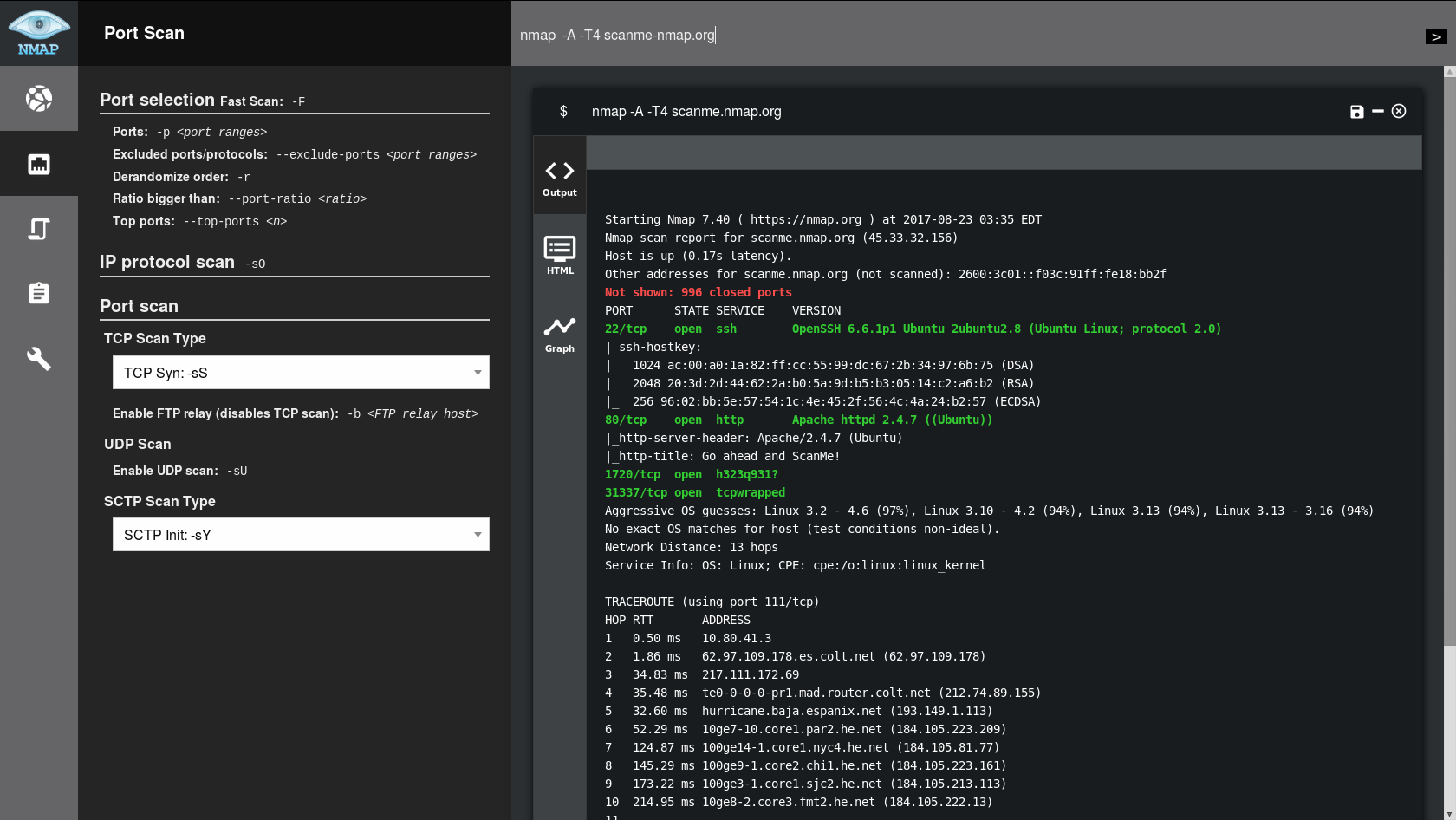
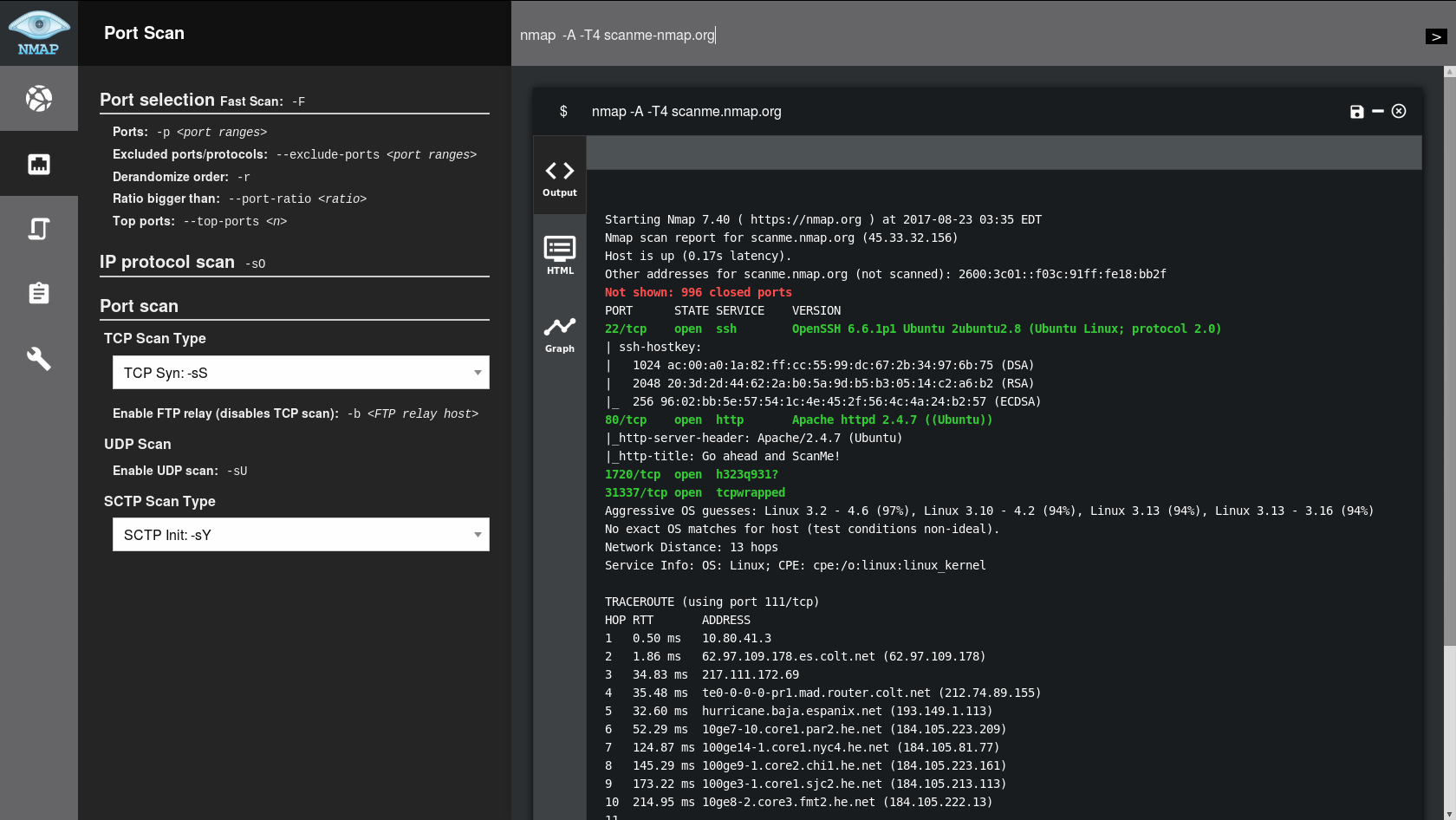
Screenshots

nmapgui nmapgui nmapgui

Installation

For the moment, NMapGUI can't be installed, it's just a compressed java jar application.

So just go to the releases page and download the latest zip, unzip it and enjoy NMapGUI! On progress: Menu creation

Usage

Starting the application

For the moment, you will have to execute the jar file. If you have java properly configured in your system, it should work just by double-clicking the jar file. Otherwise, you will have to launch it with your console. For that I recommend the following command on Linux:

nohup java -jar nmapGUI-0.6.1-snapshot.jar $

as it will let you close the console and still use the app.

Visit our wiki to find out how to use NMapGUI

Download Tool

Most Popular

View all →

Discover the most used tools by our community.

  • 1

    Callisto

    jetp1ane/callisto

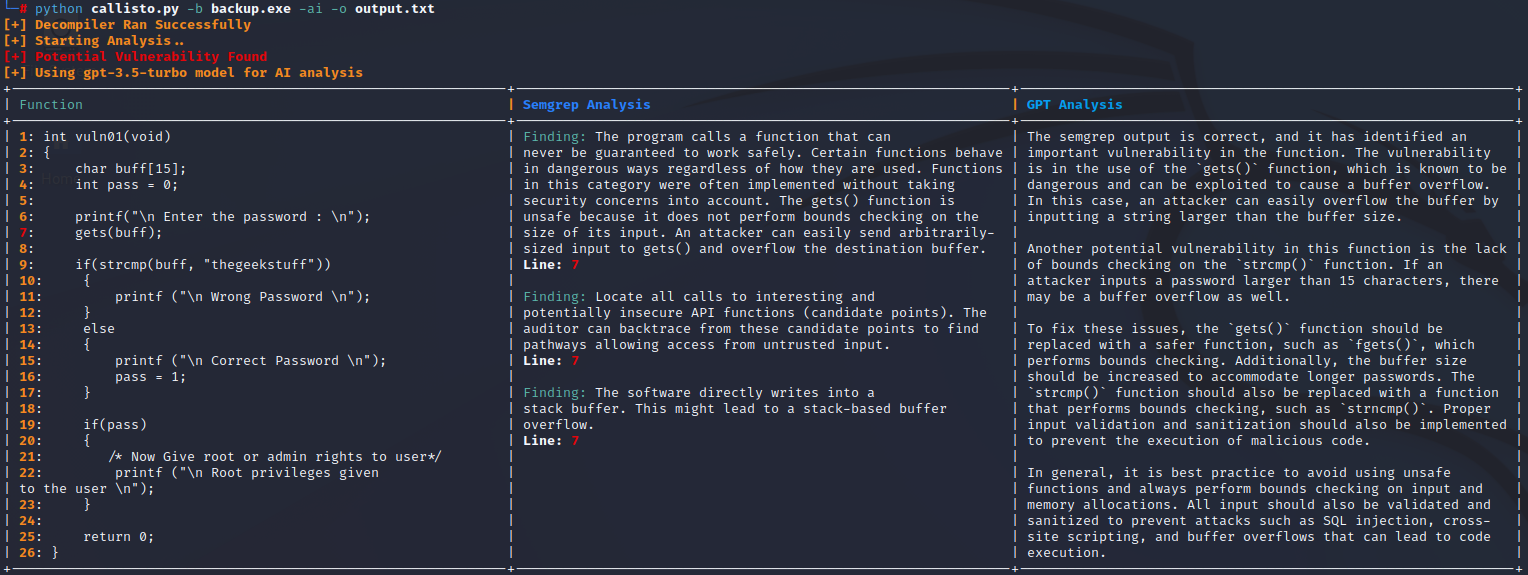
    Automated binary vulnerability analysis tool that decompiles executables via Ghidra, scans pseudo-C code with Semgrep, and validates findings using GPT-3.5-Turbo to reduce false positives.

    1.2k
  • 2

    ghostlock-app

    yukonga/ghostlock-app

    One-tap Android kernel exploit app for CVE-2026-43499, providing privilege escalation via kernel module loading, with offset extraction and on-device analysis tools.

    997
  • 3

    wifit3

    derv82/wifit3

    Wifite but USB-only & cross-platform.

    796
  • 4

    OsintHunter

    letox4/osinthunter

    🎯 The ultimate OSINT toolkit: investigation graph, confidence scoring, alias families, map, timeline and reports. 49 modules, 400+ sites, no API keys required.

    517
  • 5

    mcp-reverse

    1llu50ry/mcp-reverse

    MCP server exposing 180+ reverse-engineering tools that aggregate Ghidra, IDA, x64dbg, Frida and 56 other backends with native binary parsers and a 4,200-skill knowledge base.

    364
  • 6

    DFRoot

    a2333c/dfroot

    Android root tool for Samsung Galaxy S25 Ultra (SM-S938B) that chains DirtyFrag CVE-2026-43284 and CVE-2026-43499 to gain root automatically at boot via KernelSU.

    330

Explore all tools

Browse our collection of tools

View all tools →