Skip to content
KitploitKITPLOIT
ToolsBlog
Submit
ToolsBlog
Submit

Hacking, PenTest, and Cybersecurity Tools for Your Security Arsenal!

Kitploit is a directory of hacking, cybersecurity, and pentesting tools. Discover the latest project updates to find vulnerabilities, analyze systems, automate testing, and strengthen your security.

··Feeds·Contact·Privacy·© 2026 Kitploit

Tool Directory

Categories

View all categories
Loading categories
DropboxC2C — DropboxC2C is a post-exploitation agent which uses Dropbox Infrastructure for command and control operations. | Kitploit
Tools/GitHubGitHub/0x09al/dropboxc2c
Payload GenerationPost-ExploitationCommand and ControlRed Teaming
GitHub0x09al/dropboxc2c

DropboxC2C

DropboxC2C is a post-exploitation agent which uses Dropbox Infrastructure for command and control operations.

View Repository
153577 years agoReviewed by Kitploit

Most Popular

View all →

Discover the most used tools by our community.

Explore all tools

Browse our collection of tools

View all tools →
Share

DropboxC2C

DropboxC2C is a post-exploitation agent which uses Dropbox Infrastructure for command and control operations.

DO NOT USE THIS FOR MALICIOUS PURPOSES. THE AUTHOR IS NOT RESPONSIBLE FOR ANY MISUSE OF THIS PROGRAM.

Dropbox-C2C is an old project of mine to use a thirdparty for command and control. Since the guys at Empire implemented dropbox as a C2C i am releasing this.

Structure

  • main.py - The "server" part which manages all the agents.

  • agent.py - The "client" part which does what the server tells.

I have removed the keylogging functions so this doesn't get missused.

Requirements

  • Python 2.7
  • Libraries
    • dropbox
    • psutil
    • pyinstaller

Installation

1-) Clone the repository.

2-) Modify the API Key on agent.py and main.py # The api key must be created from the dropbox web interface.

3-) Run setup.bat on a Windows Machine. You will get agent.exe which is the "compiled" agent.

4-) Run main.py and run the agent on the compromised server.

Video Coming Soon

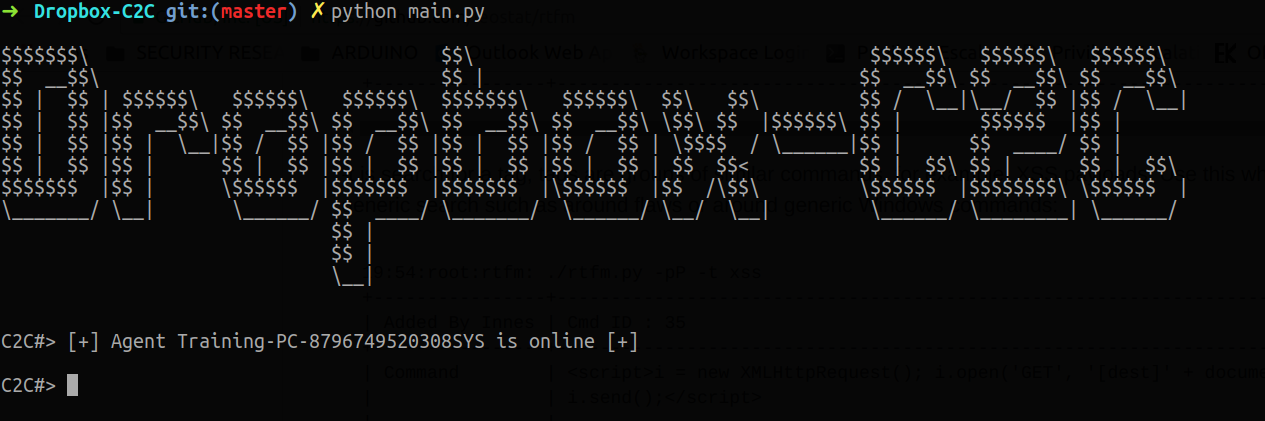
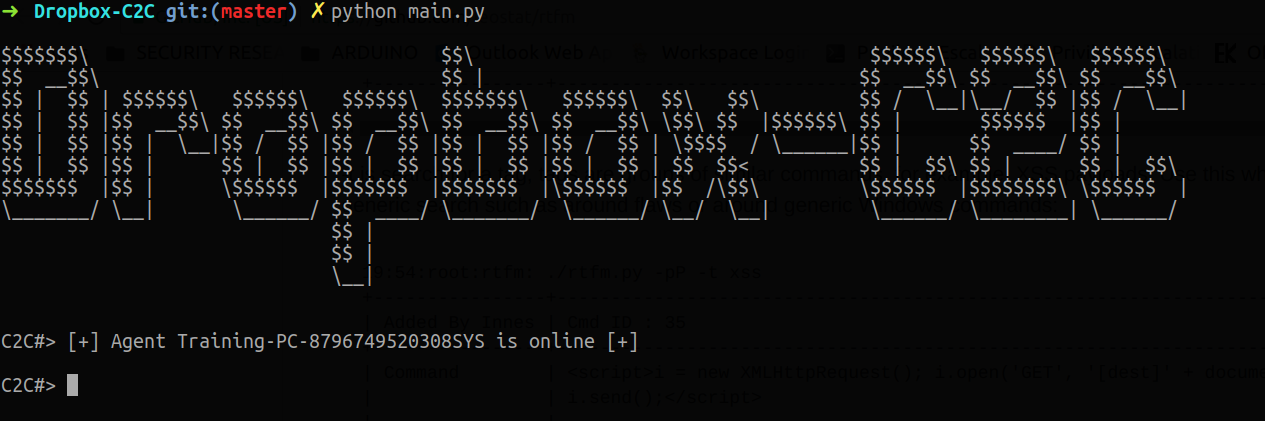
Screenshots

Screenshot - 1

ScreenShot

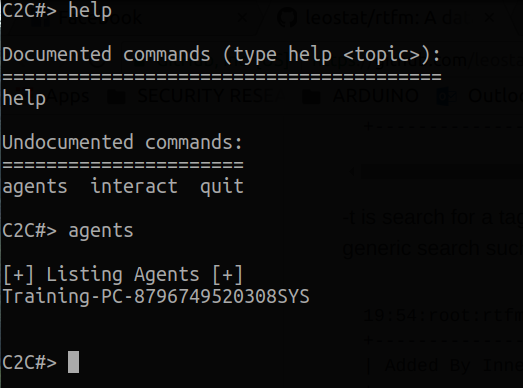
Screenshot - 2

ScreenShot

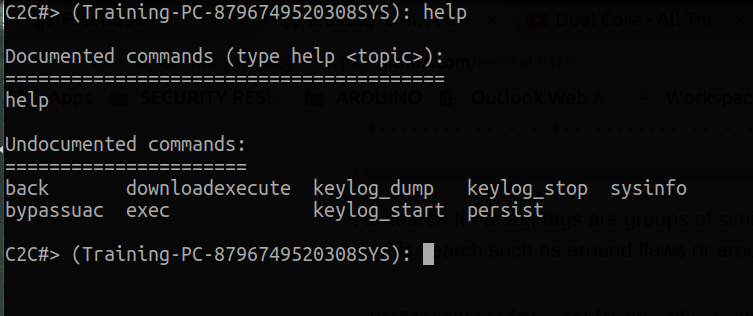
Screenshot - 3

ScreenShot

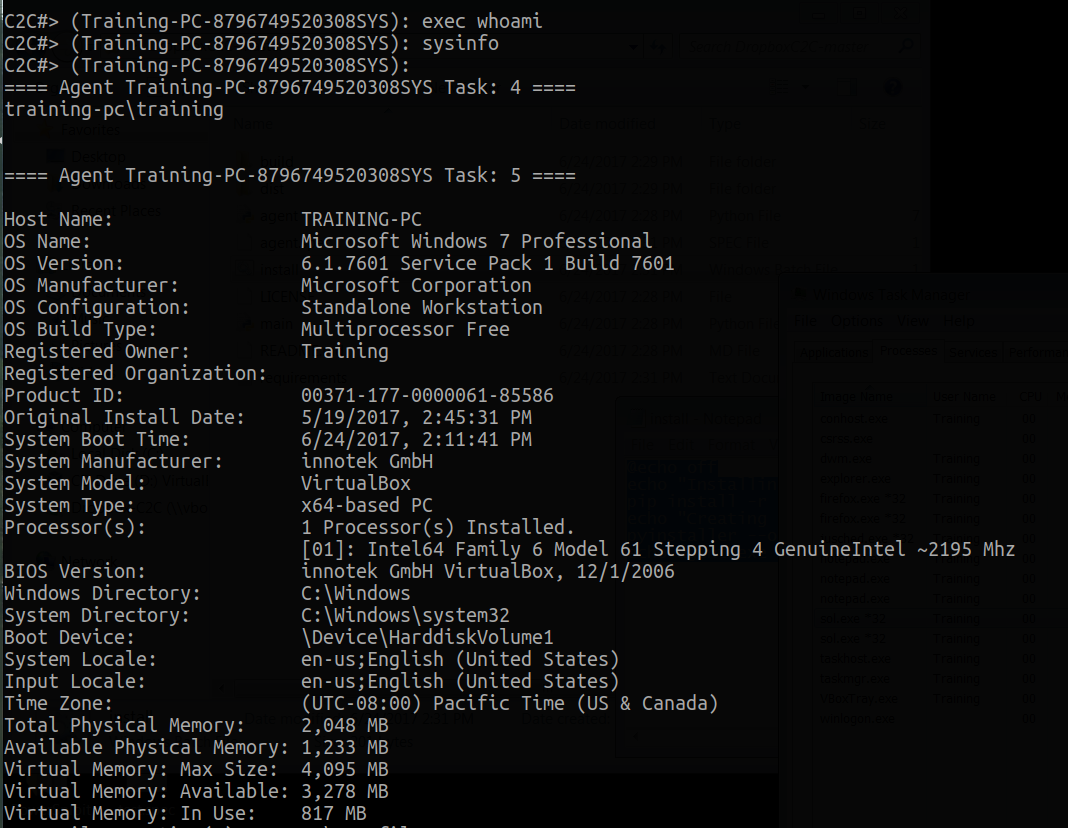
Screenshot - 4

ScreenShot

Download Tool